Crew and vendors
Crew and vendors are the people and companies who staff or supply your jobs.
Crew
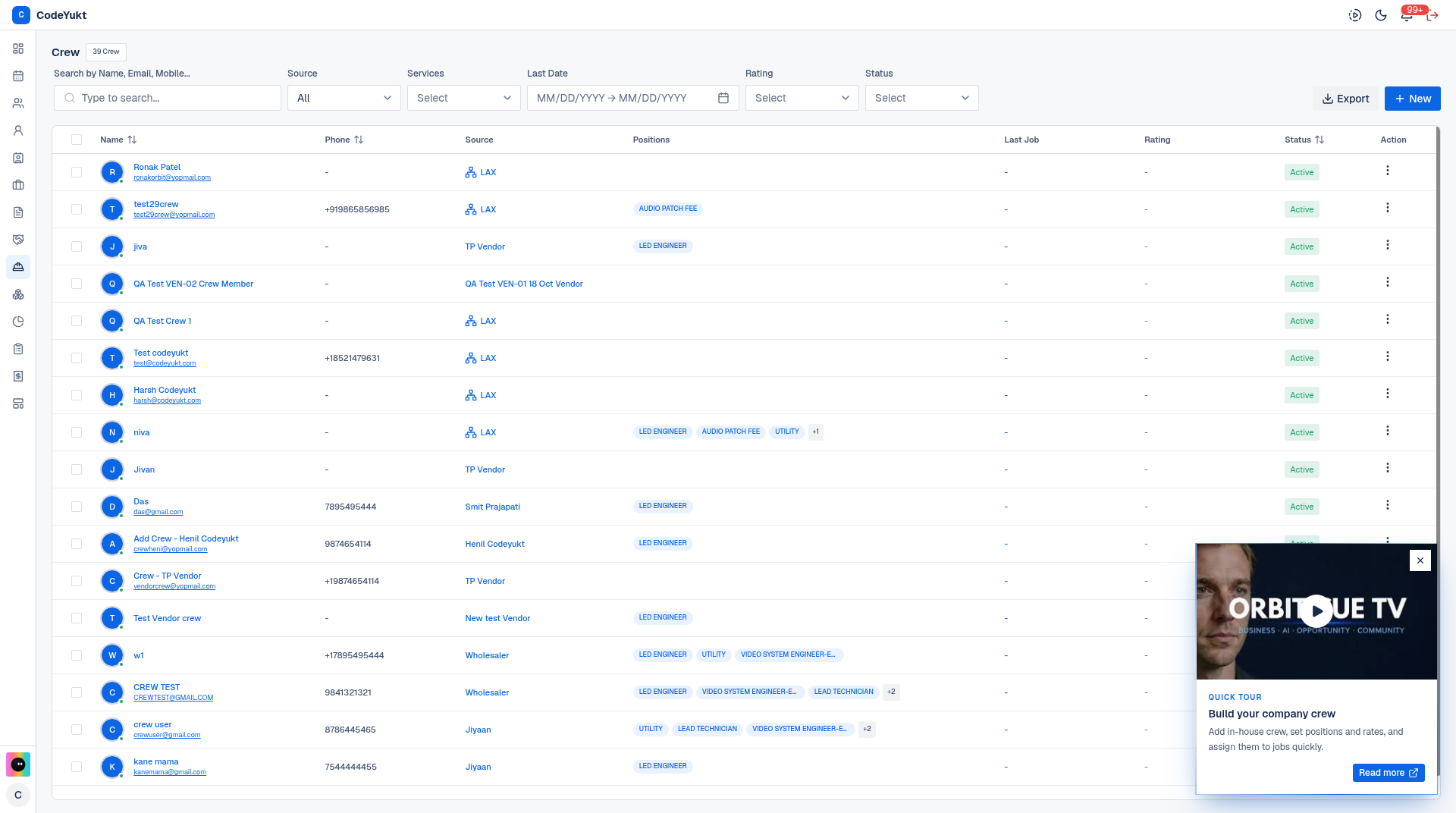
Click Crew in the sidebar, which opens /company-crew-list. Filters include search, Source, Services, Last Date, Rating, and Status, plus Export and New buttons. Columns include Name, Phone, Source (a branch or a vendor), Positions, Last Job, Rating, Status, and Action.
The Crew list, with source, positions, last job, rating, and status.
Vendors
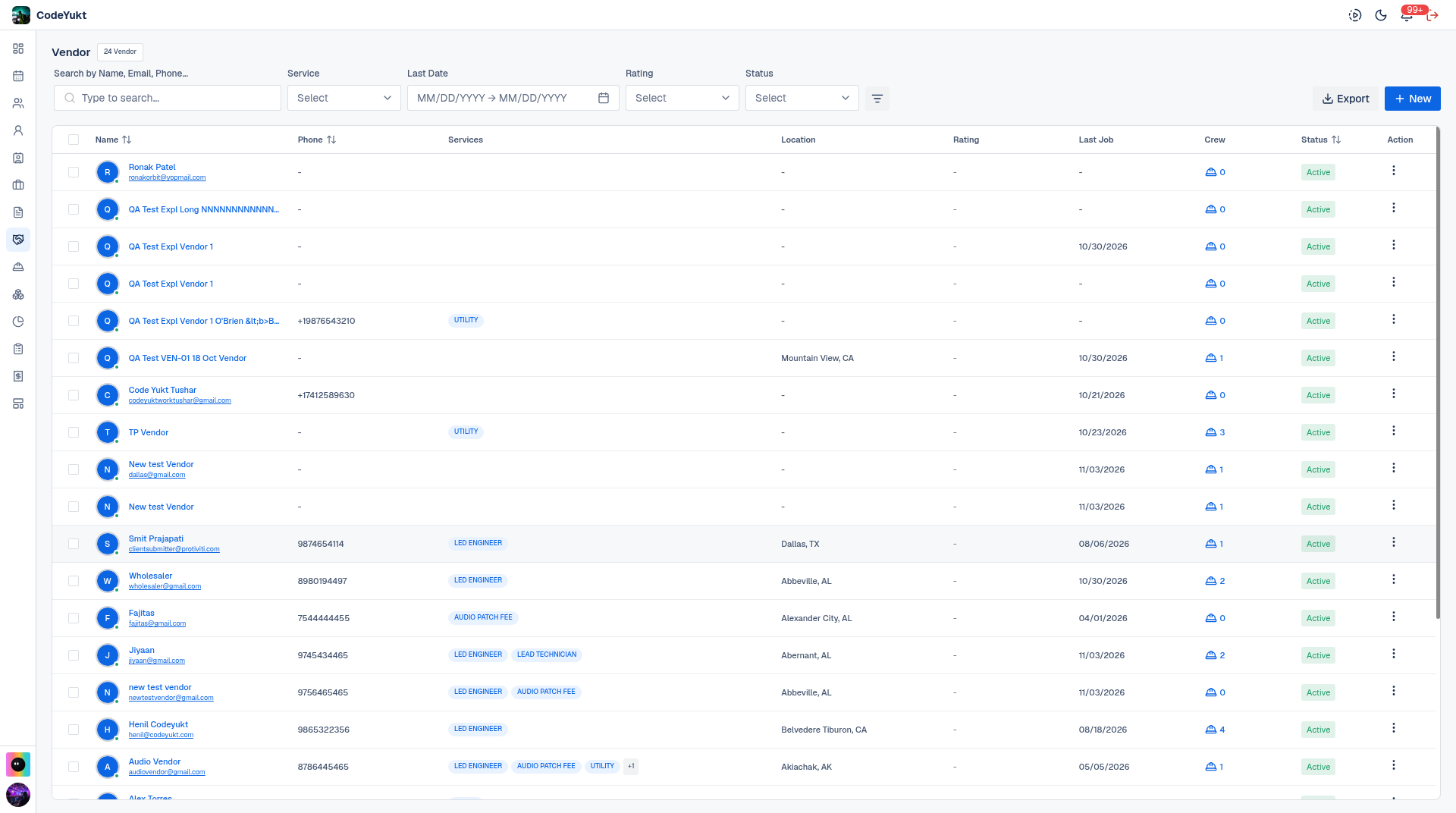
Click Vendor in the sidebar, which opens /vendor-list. The page heading shows the vendor count (for example, 24 Vendor). Filters include search, Service, Last Date, Rating, and Status, plus Export and New buttons. Columns include Name, Phone, Services, Location, Rating, Last Job, Crew, Status, and Action.
The Vendors list, with filters, Export and New, and vendor records including services, location, and rating.
How to review or edit a vendor
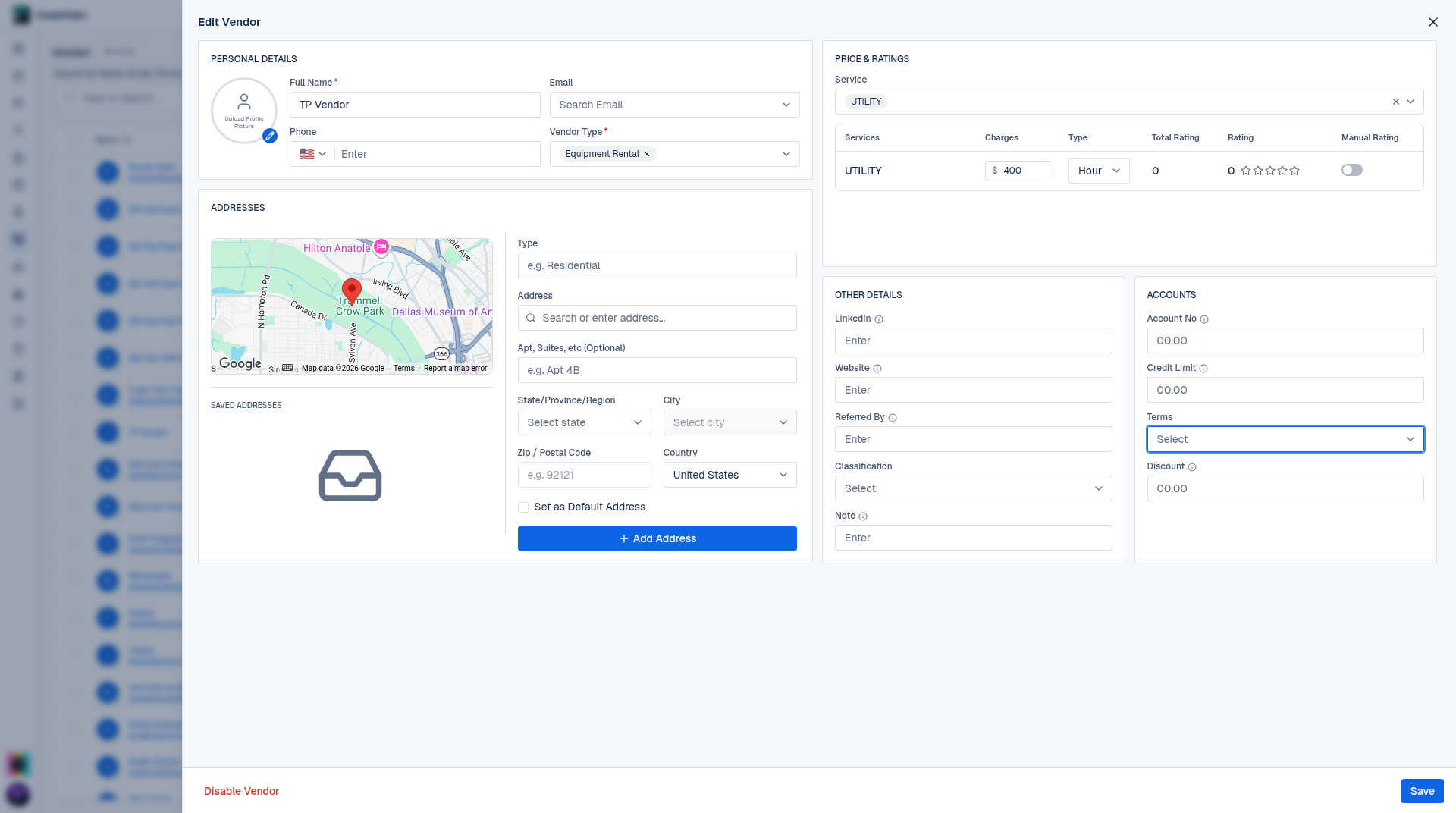
- Click a vendor row. An Edit Vendor side drawer opens.
- Review or update personal details (name, email, phone, and vendor type — for example Equipment Rental).
- Review or update addresses. A map is available to help locate the address.
- Under Price & Ratings, review the service and hourly rate fields.
- Complete Other Details as needed.
- Under Accounts, review account number, credit limit, terms, and discount.
- Click Save to keep your changes, or Disable Vendor if that vendor should no longer be used.
The Edit Vendor side drawer, with personal details, addresses, price and ratings, other details, and accounts.