Dashboard / Jobs Calendar
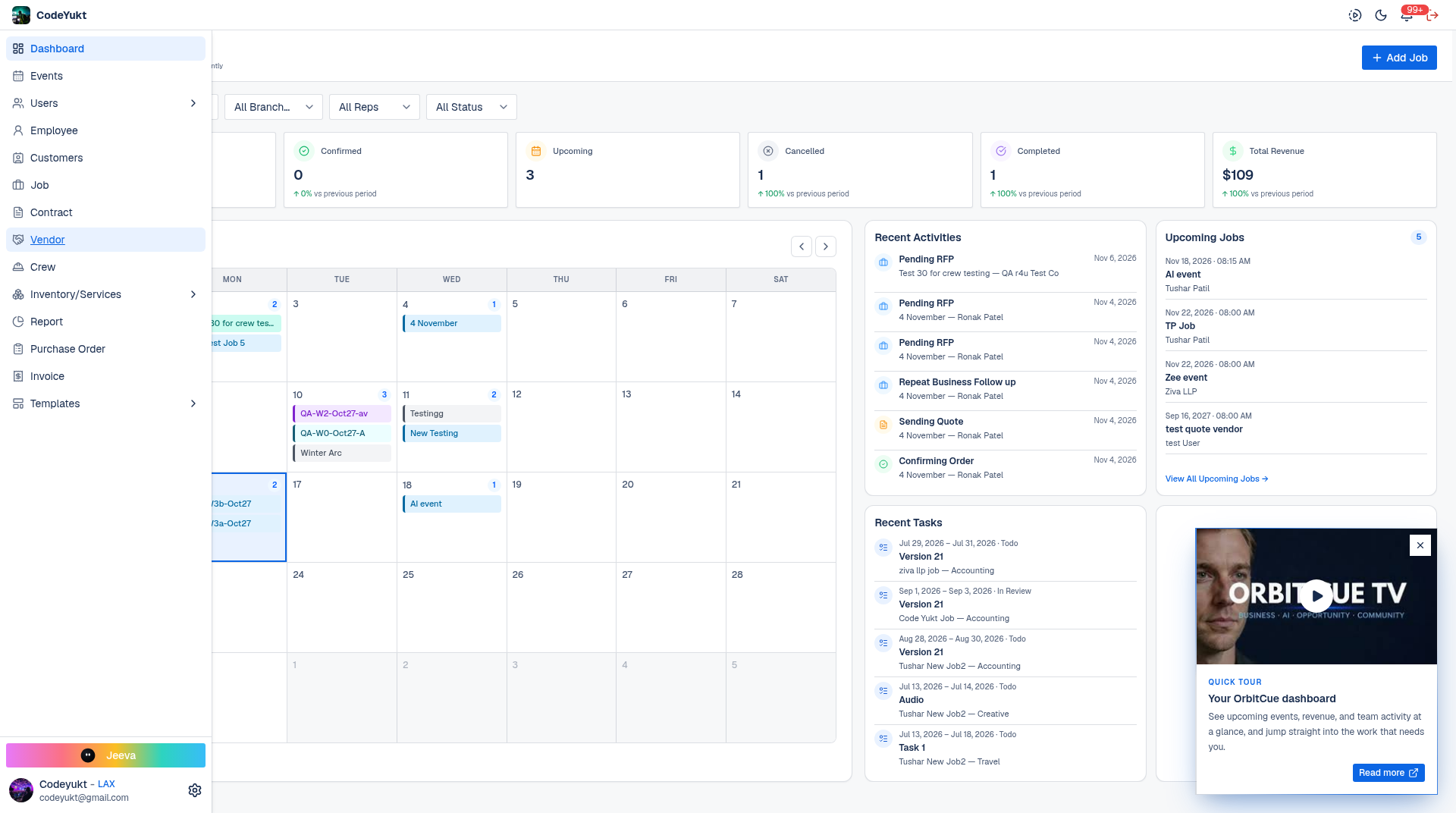
The Dashboard is your daily overview of work: jobs laid out on a calendar, headline counts, recent activity, and what is coming up next.
How to get there
Click Dashboard in the sidebar, or go to /dashboard after you sign in.
What you will see
- An Add Job button, which starts a new job (see Create or update a job).
- Filters for All Branches, All Reps, and All Status, so you can focus the calendar.
- KPI cards for Total Jobs, Confirmed, Upcoming, Cancelled, Completed, and Total Revenue.
- A month calendar with job chips on the days they fall.
- A Recent Activities panel.
- An Upcoming Jobs panel, with a View All Upcoming Jobs link.
- A Recent Tasks panel.
Common tasks
- Use the branch, rep, and status filters to focus the calendar.
- Click Add Job to start a new job.
- Click View All Upcoming Jobs to review what is coming next.
- Scan Recent Activities and Recent Tasks for changes you might have missed.
The Jobs Calendar dashboard, with KPI cards, month calendar, and activity panels.