Inventory and services
Inventory and services is the catalog you quote and reserve: equipment (assets and kits), services, classifications, and packages.
How to get there
Open Inventory/Services in the sidebar, then choose Inventory List, Services, Category, or Package.
Inventory List
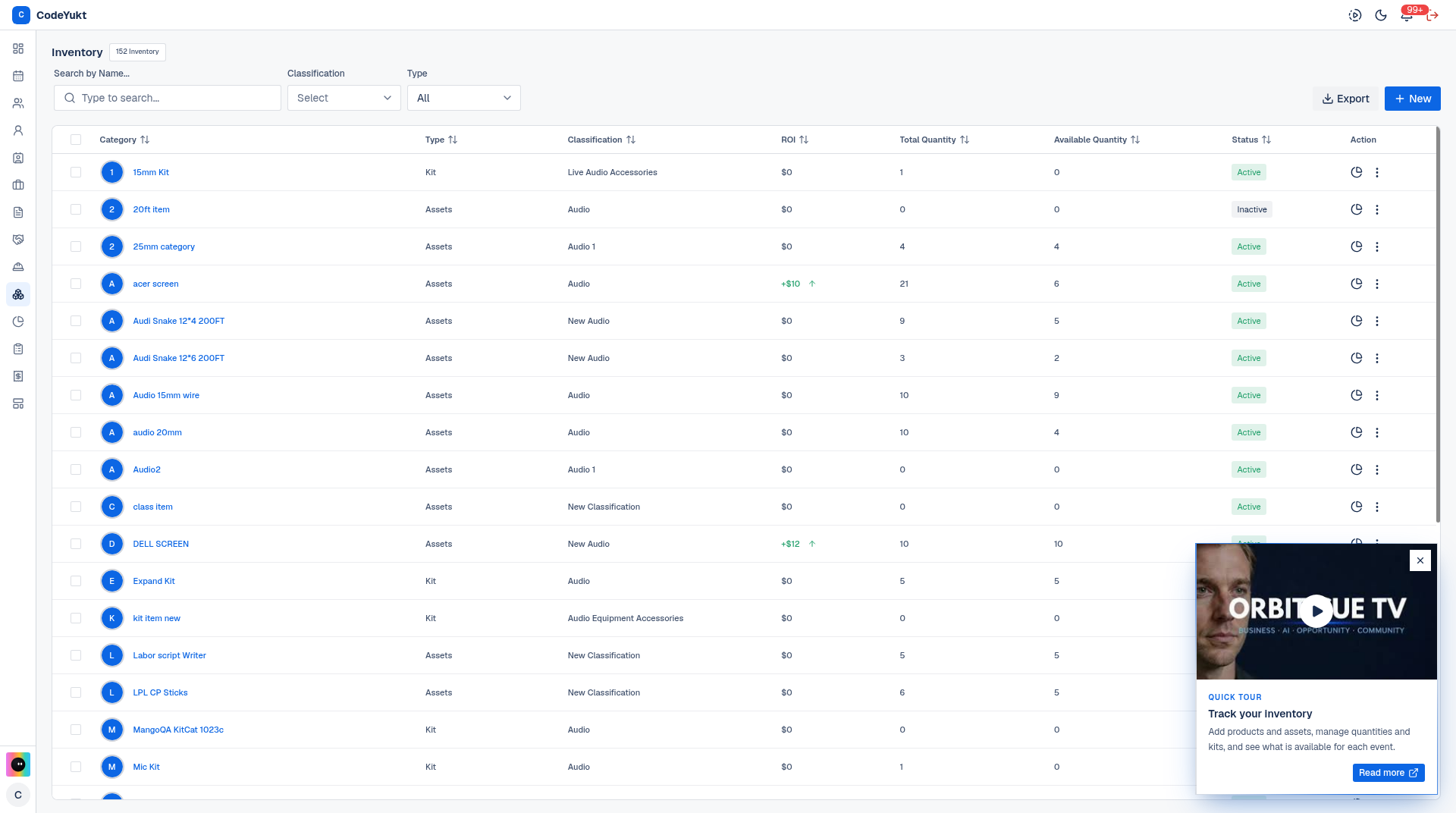
Inventory List is at /inventory/inventory-list. Filters include search, Classification, and Type, plus Export and New buttons. Columns include Category/item, Type (Assets or Kit), Classification, ROI, Total Quantity, Available Quantity, Status, and Action. The Action column includes a clock icon, which is used for availability.
How to add an inventory item
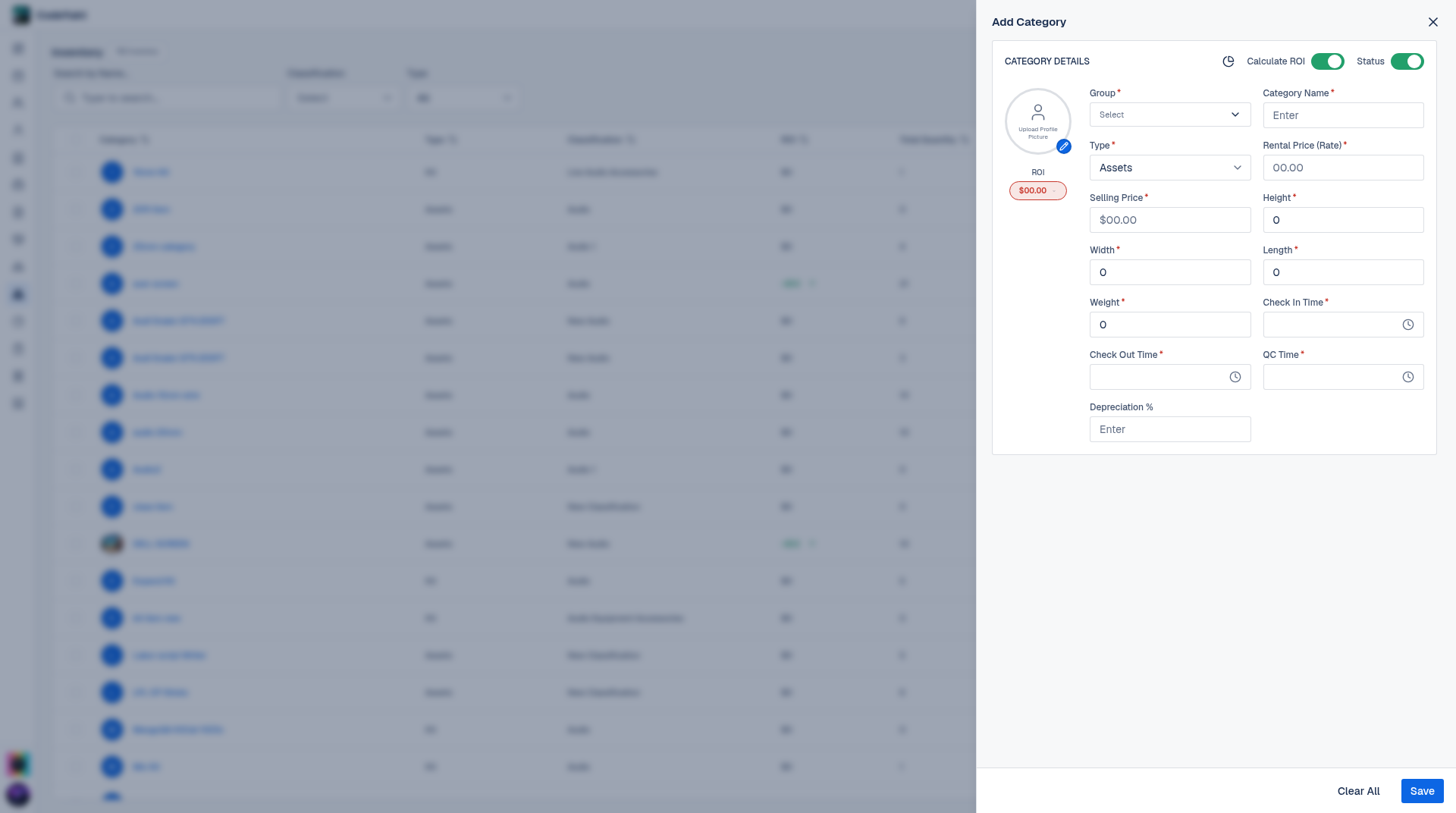
- On Inventory List, click New.
- Set the Calculate ROI and Status toggles if you need them.
- Fill in Group (required), Category Name (required), Type (required), Rental Price / Rate (required), and Selling Price (required).
- Optionally enter Height, Width, Length, Weight, Check In/Out/QC time, and Depreciation %.
- Save the item.
The Inventory List, with classification and type filters, quantities, and status.
The form for adding an inventory item, including group, type, prices, and dimensions.
Services
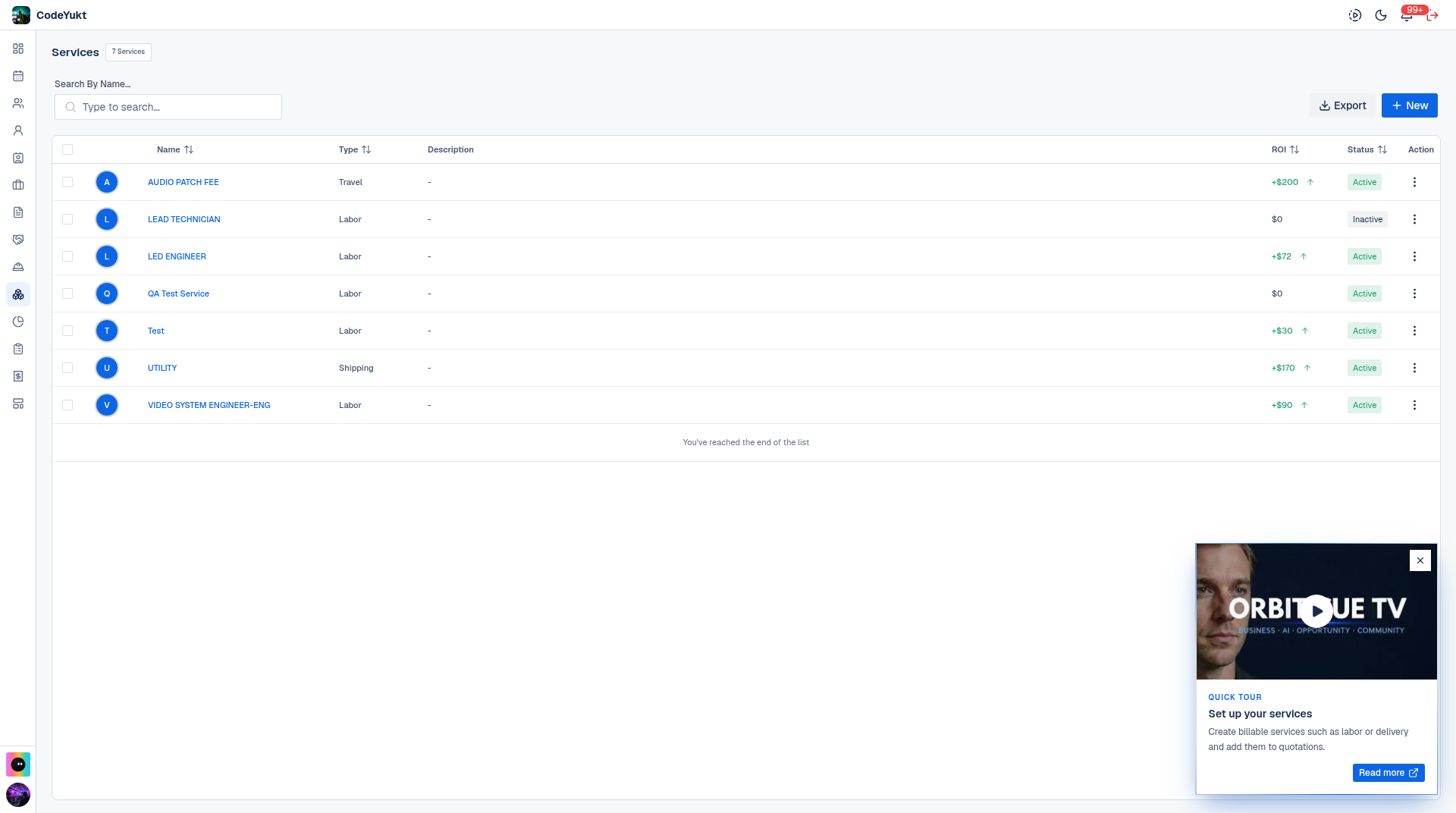
Services is at /inventory/service-list. It has Search, Export, and New. Columns include Name, Type (Travel, Labor, or Shipping), Description, ROI, Status, and Action.
The Services list, showing service name, type, description, and status.
Category
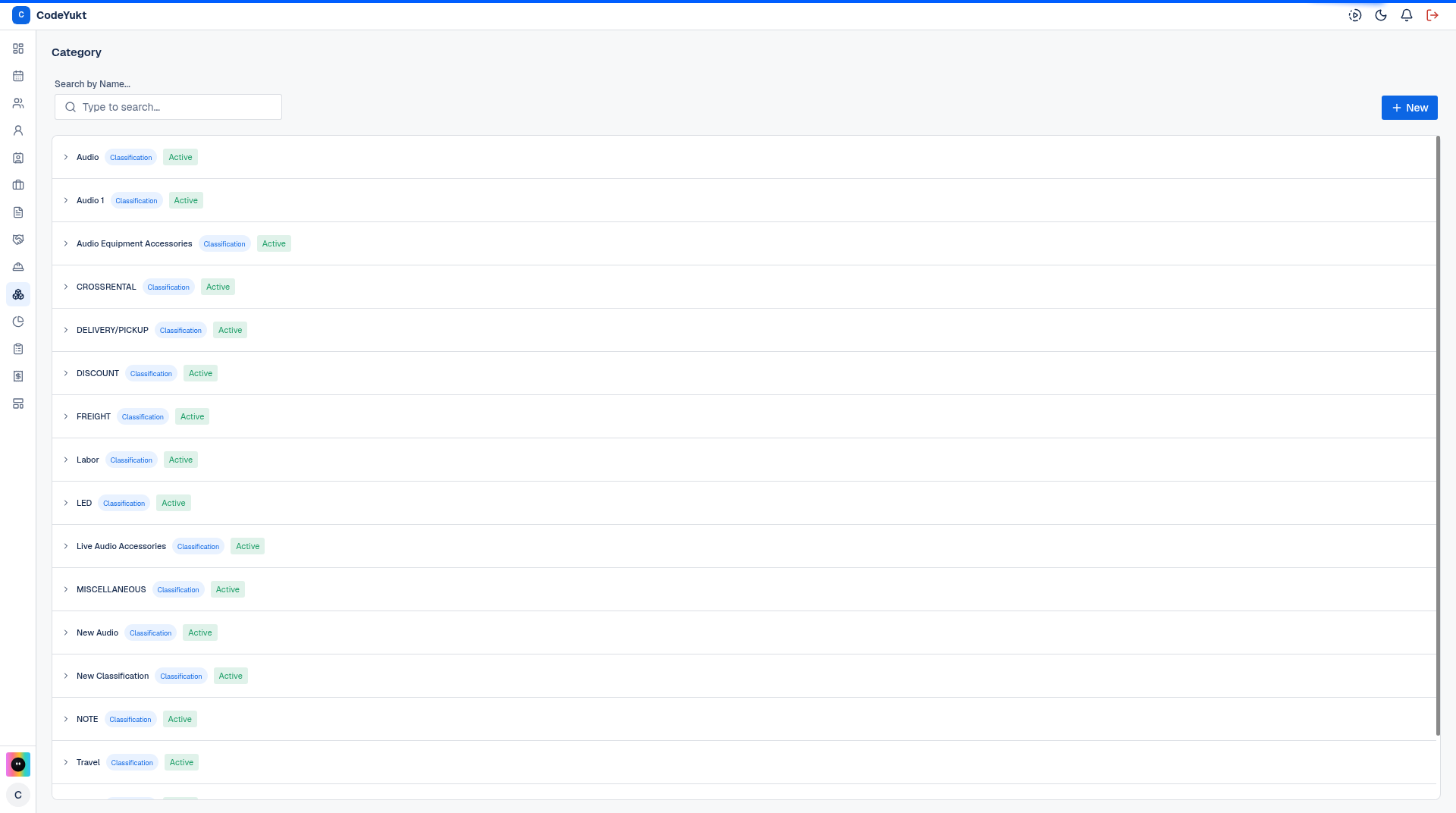
Category is at /inventory/category. It has Search and New, and shows an expandable tree of classifications (for example Audio, LED, Labor, and Freight) with status.
The inventory Category tree of classifications, with status.
Packages
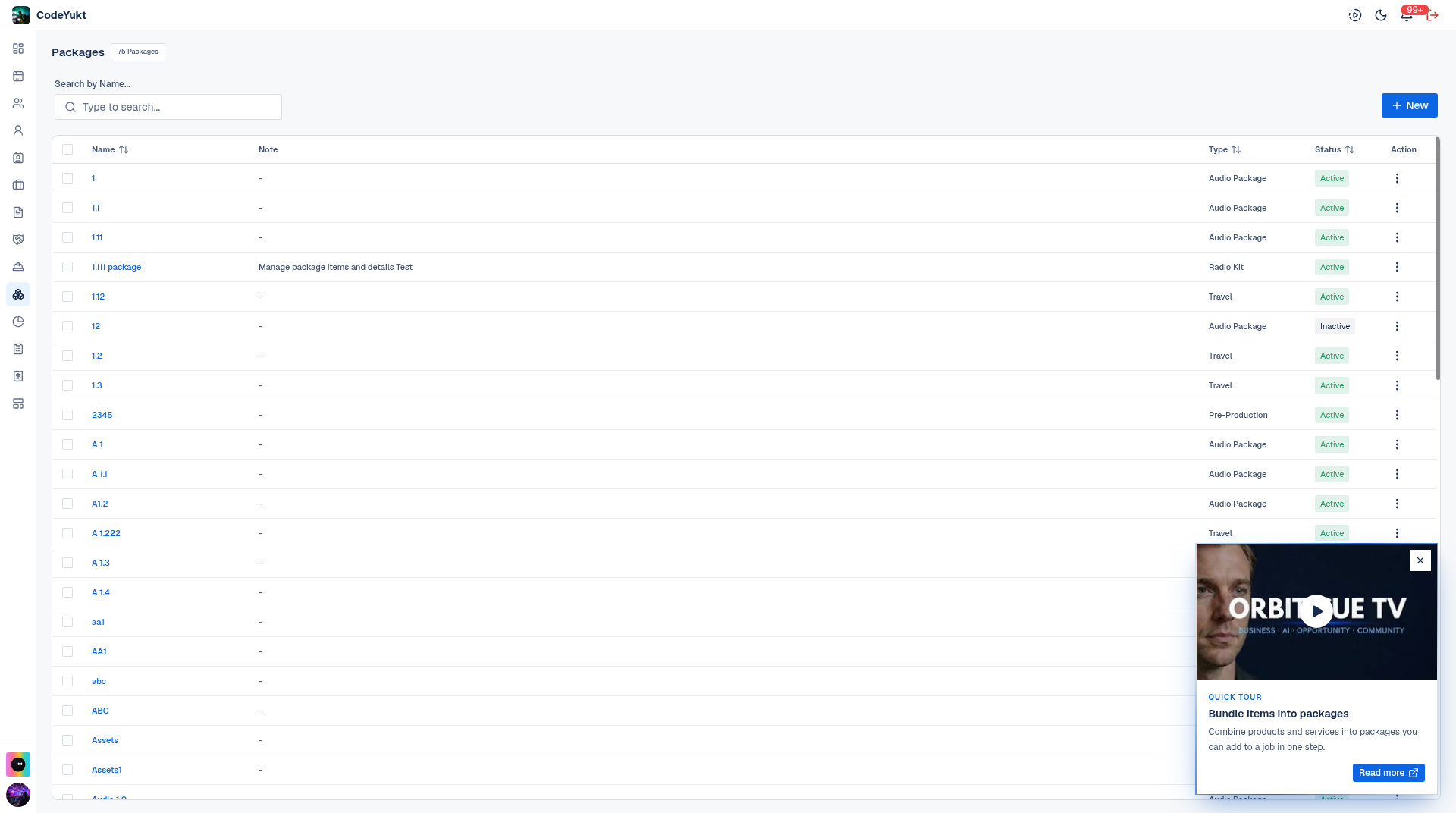
Packages is at /inventory/package-list. It has Search and New. Columns include Name, Note, Type, Status, and Action.
The Packages list, with name, note, type, and status.