People
This area is how you control who can sign in, what they can do, and keep an employee roster.
Users
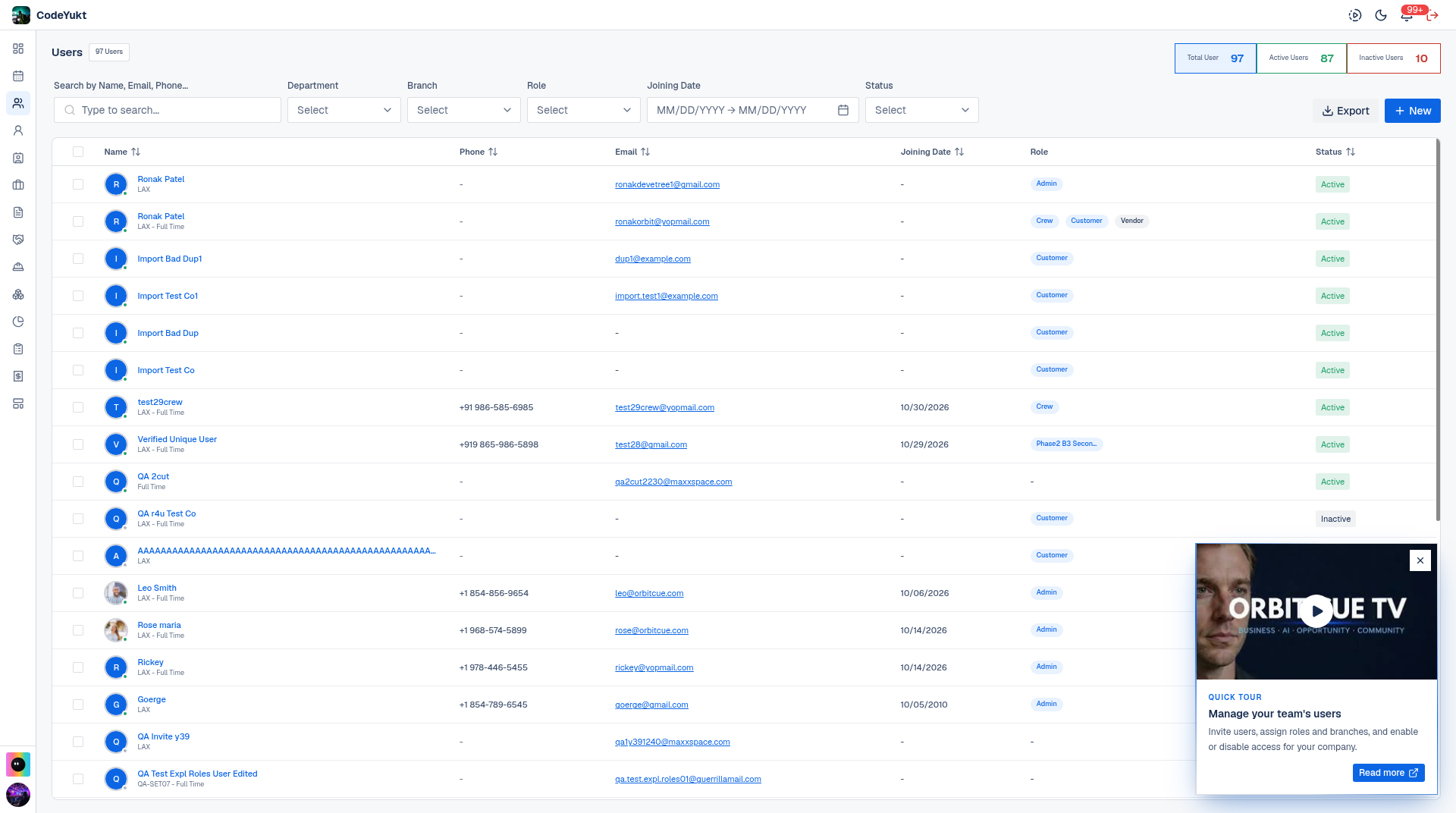
Click Users, then User List, which opens /users/user-list. Stats at the top show Total, Active, and Inactive counts. Filters include search, Department, Branch, Role, Joining Date, and Status, plus Export and New buttons. Columns include Name, Phone, Email, Joining Date, Role, and Status.
How to add a user
- On User List, click New.
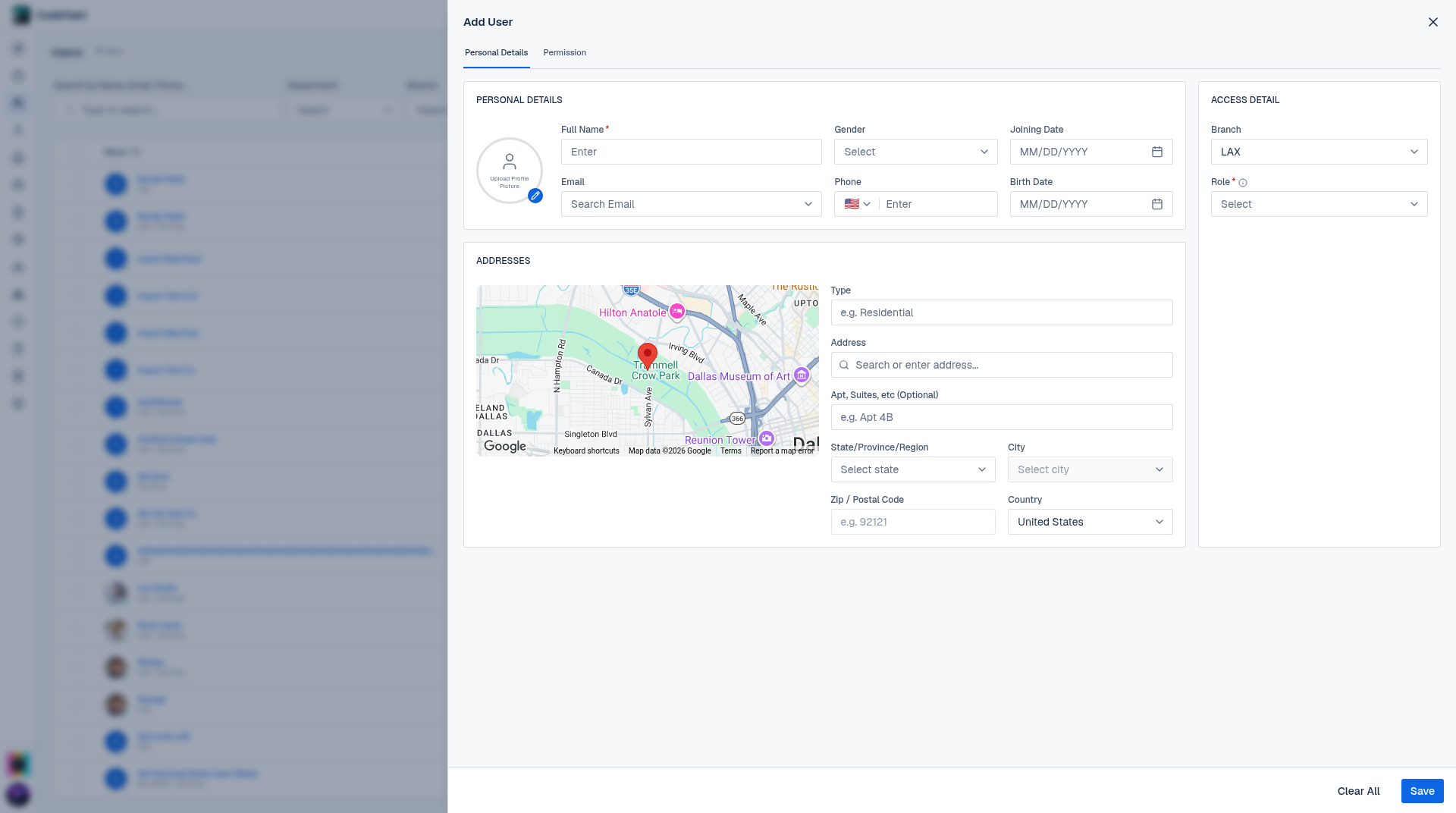
- On the Personal Details tab, enter Full Name (required), plus Gender, Joining Date, Email, Phone, Birth Date, and Addresses as needed.
- Under Access Detail, set Branch and Role (required).
- Use the Permission tab if you need to review or adjust permissions for that user.
- Click Save, or Clear All to start the form over.
The User List, with total/active/inactive stats, filters, and user records.
The form for adding a user, including personal details and access detail for branch and role.
Roles
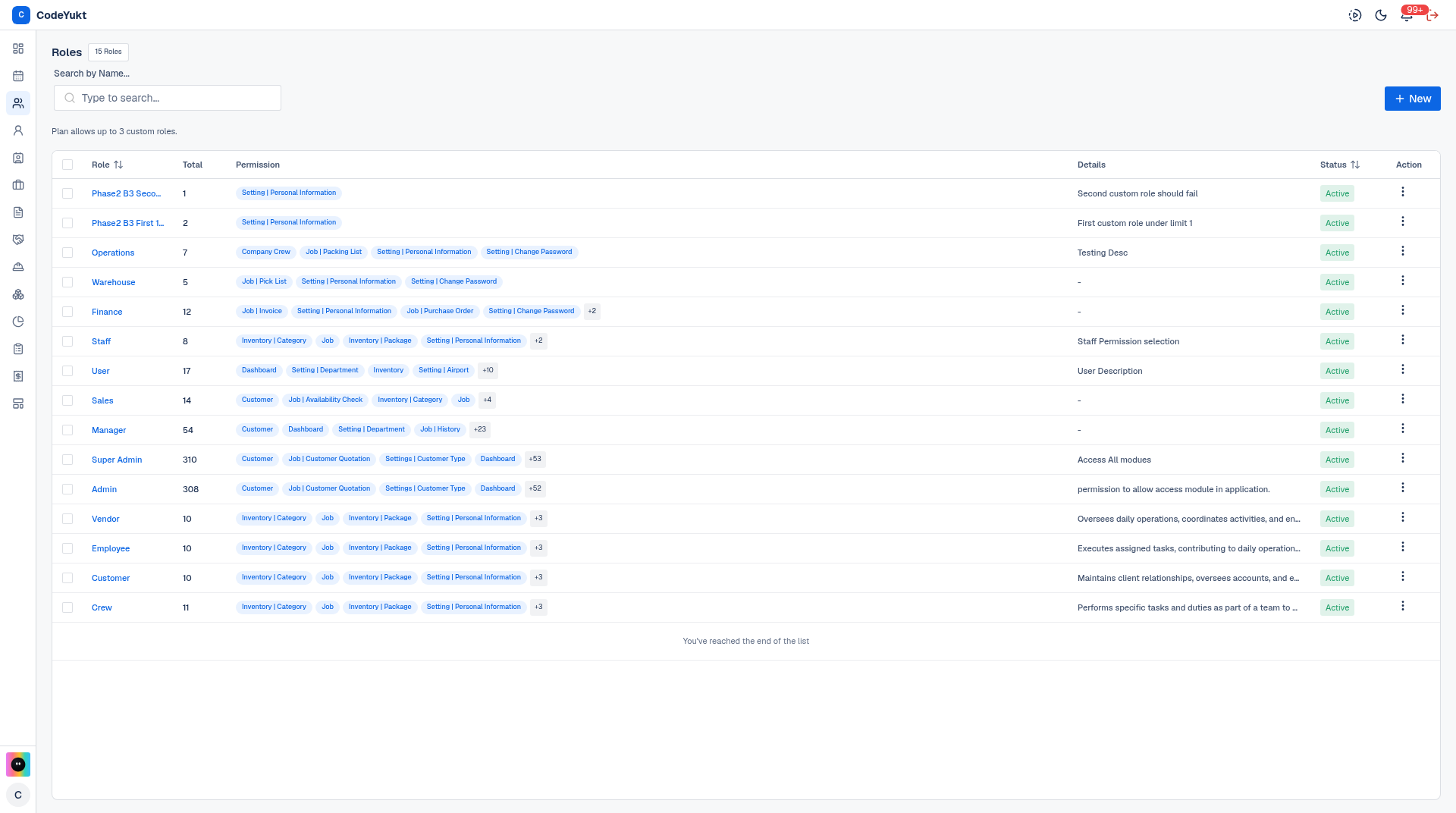
Click Users, then Roles, which opens /users/roles-list. The page has Search and New, and a note that the plan allows up to 3 custom roles. Columns include Role, Total users, Permission chips, Details, Status, and Action. Built-in roles include Admin, Super Admin, Manager, Sales, User, Staff, Finance, Warehouse, Operations, Vendor, Employee, Customer, and Crew, plus any custom roles you add.
The Roles list, with built-in and custom roles, user counts, and permission chips.
Permissions
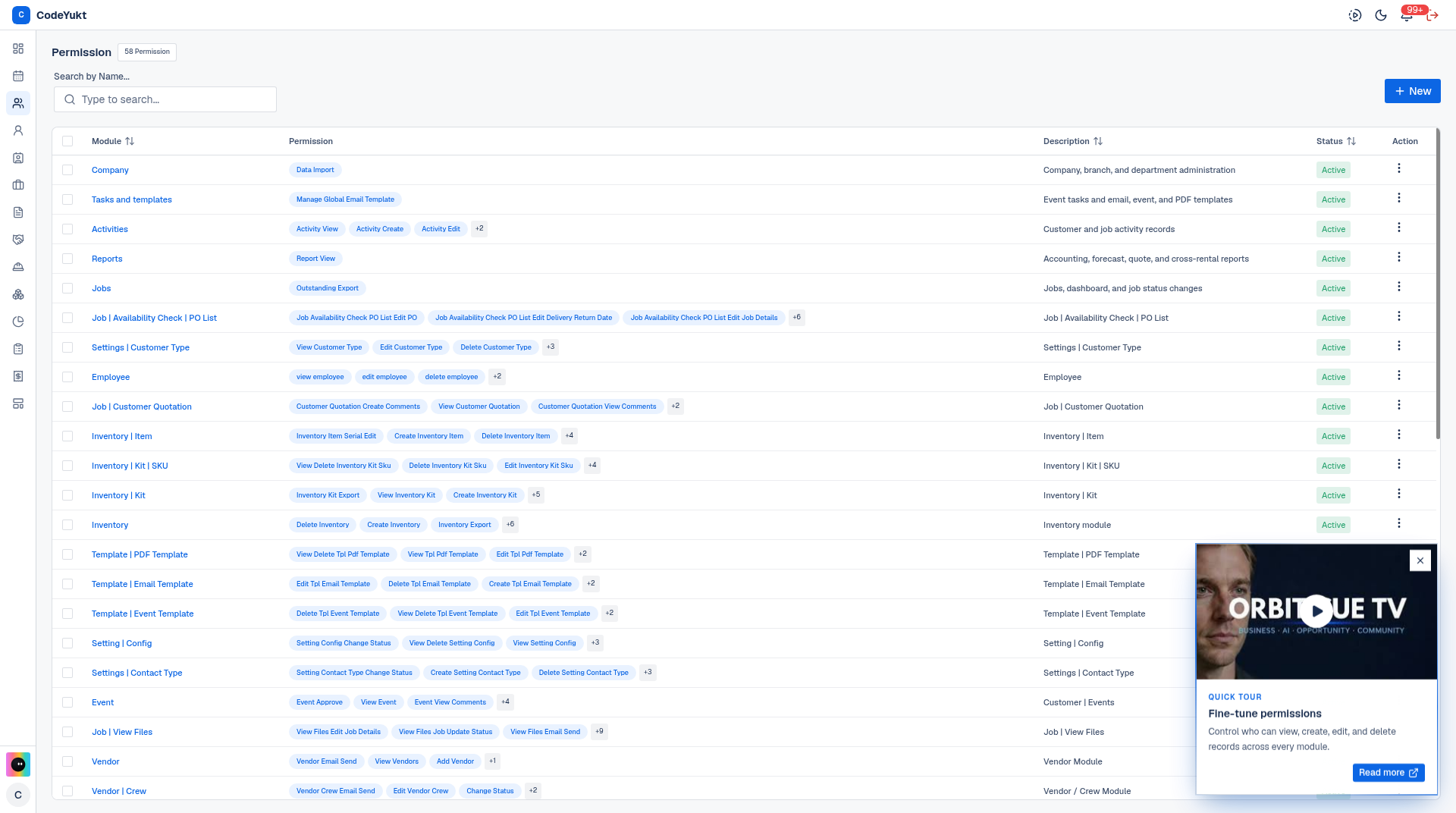
Click Users, then Permissions, which opens /users/permissions. The page has Search and New. Columns include Module, Permission chips, Description, Status, and Action.
The Permissions list, grouped by module with permission chips and descriptions.
Employees
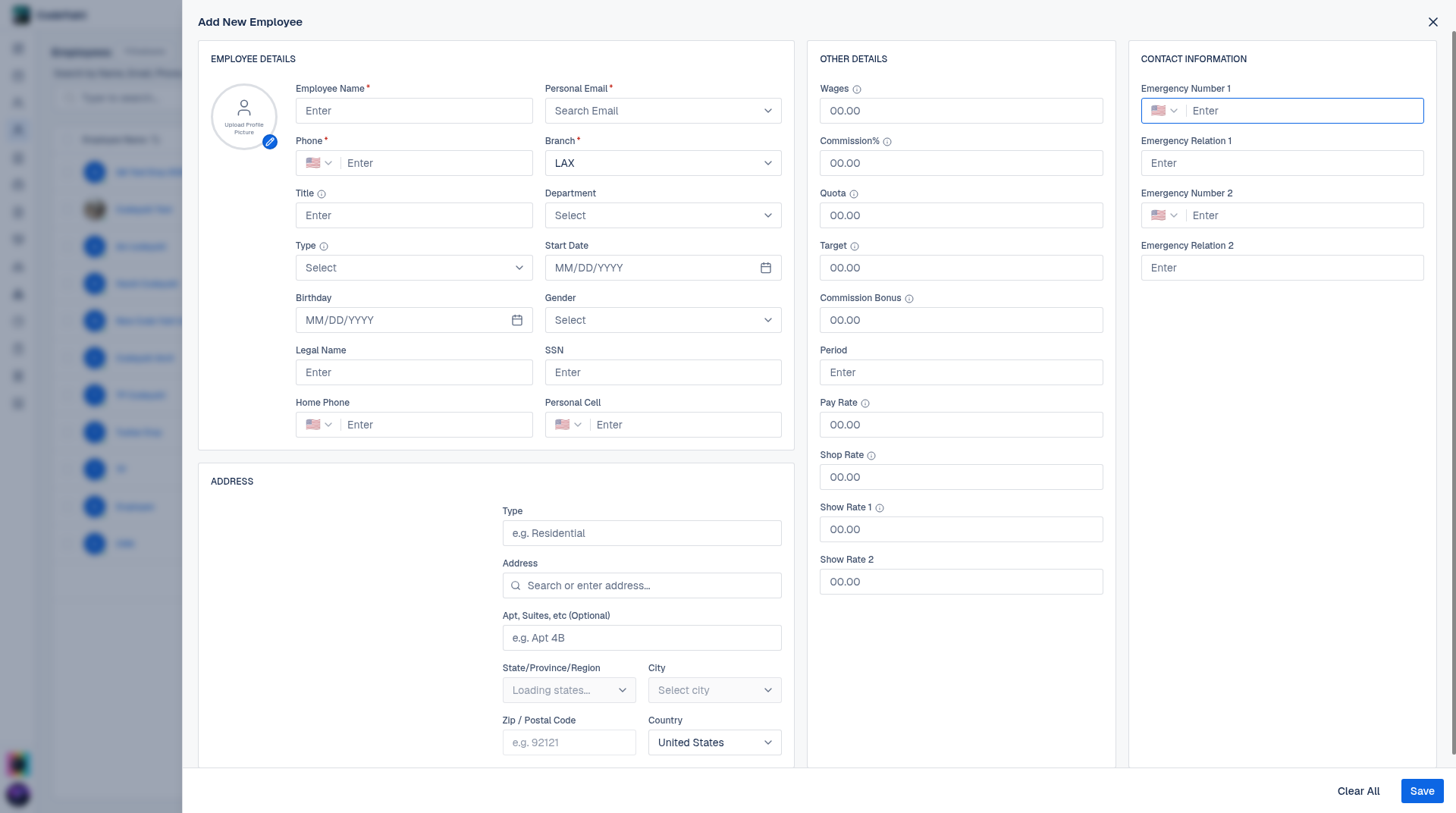
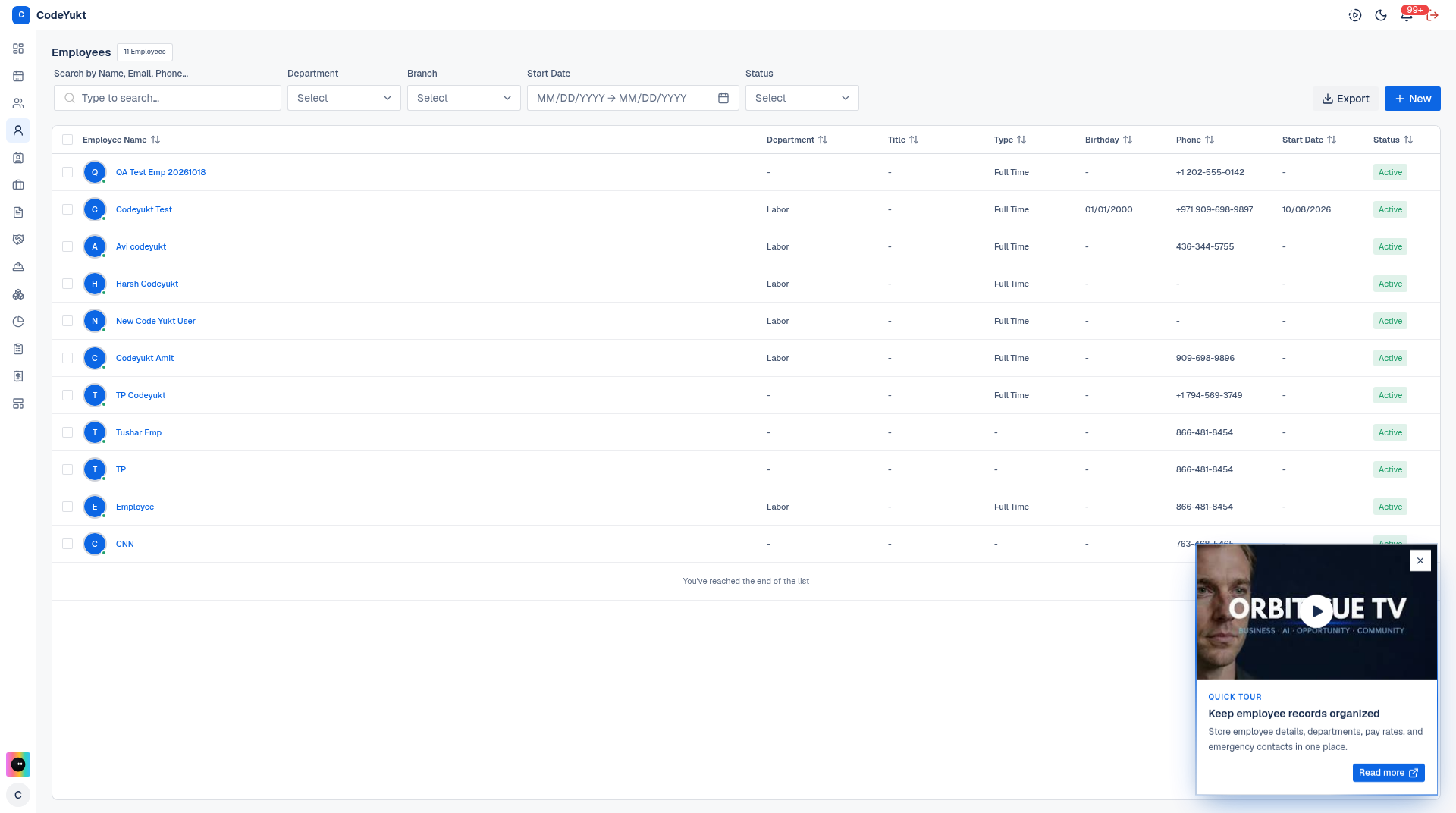
Click Employee in the sidebar, which opens /employee. Filters include search, Department, Branch, Start Date, and Status, plus Export and New buttons. Columns include Employee Name, Department, Title, Type, Birthday, Phone, Start Date, and Status.
How to add an employee
- On Employee, click New.
- Enter Name (required), Personal Email (required), Phone (required), and Branch (required). Add Title, Department, Type, Start Date, Birthday, Gender, Legal Name, SSN, Home Phone, and Personal Cell as needed.
- Add Address, Other Details (pay and commission), and emergency contacts.
- Click Save, or Clear All to start the form over.
The Employee list, with department, title, type, start date, and status.
The form for adding an employee, including personal details, branch, and other details.